GPS check-in with office radius
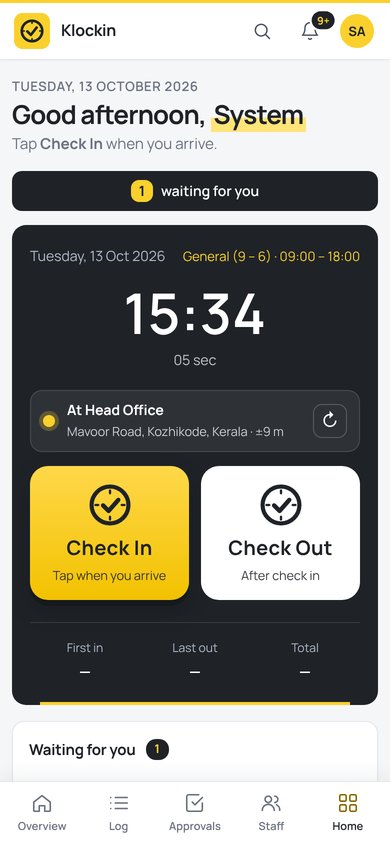
Staff tap Check In on their phone. Klockin confirms they are inside the office circle, shows the street address and saves the accuracy in metres.
Klockin checks your team in with GPS and a selfie, routes leave to the right manager, and keeps payroll, onboarding and documents in one place. It works in any browser, on any phone, anywhere in the world.
Every tool lives on one Home page as a tile. Staff see only what their role allows.
Staff tap Check In on their phone. Klockin confirms they are inside the office circle, shows the street address and saves the accuracy in metres.
An optional selfie at check-in and one phone per person stop buddy punching. Suspicious punches are flagged for HR.
Annual, sick, casual and your own leave types. Requests go manager first, then HR, with balances kept up to date.
Late, half day, absent and overtime are worked out from each shift. Export the month to Excel in one click.
Import your salary sheet, run payroll from attendance and unpaid leave, and let staff download their payslips.
Drag new joiners from offer to first day on a kanban board, with a checklist and a private upload link for their documents.
Passport, visa, ID and contracts in one place. Klockin reminds HR before anything expires.
Forgot to check out? Klockin sends a reminder. Approvals and news arrive as phone notifications.
Run sister companies, offices and shifts from one account, with roles that decide who sees what.
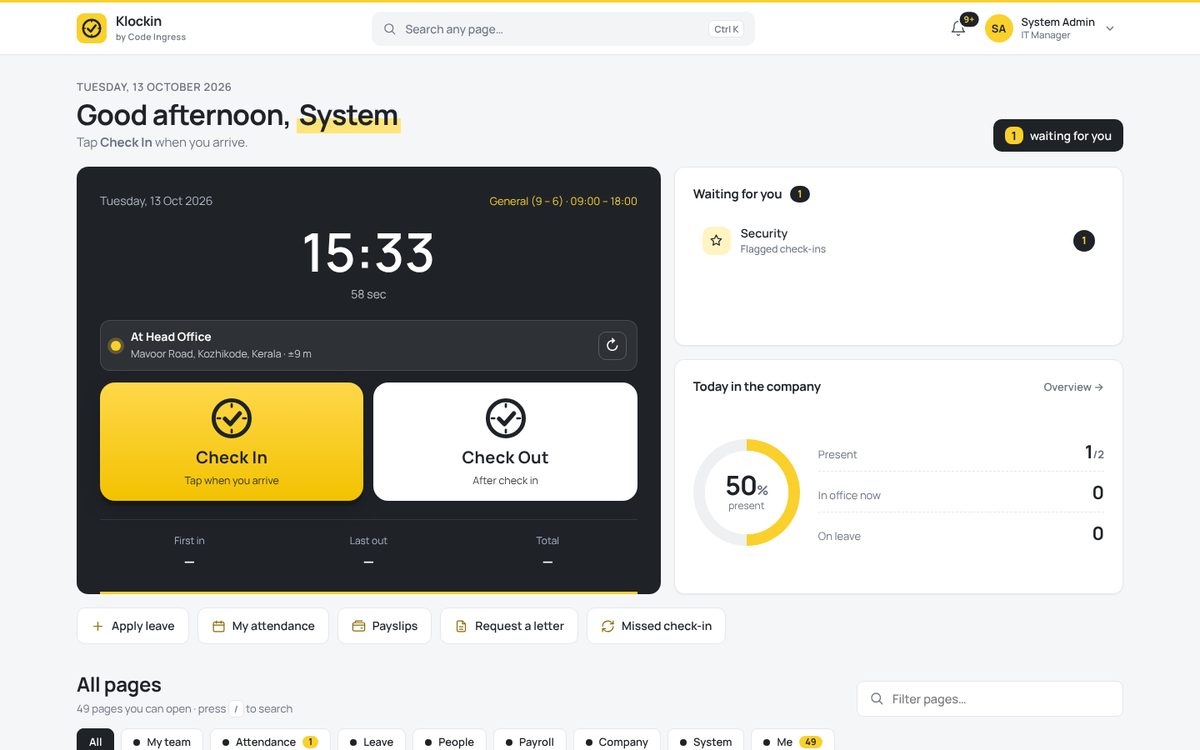
Home opens with today's greeting and the Check In / Check Out buttons. The status line shows the office and distance before anyone taps.
Pick your company address, like yourcompany.klockln.com. Your trial starts at once.
Drop a pin on your office, choose the check-in radius, and add staff one by one or from Excel.
They open your Klockin address on their phone, add it to the home screen and tap Check In each day.
Klockin installs from the browser, so there's no app store wait. Open your company address on the phone, then:
Every plan starts with a 3-day free trial. Prices are per active user per month, billed for at least 5 users.
| Compare plans | Starter | Business | Enterprise |
|---|---|---|---|
| Users | 5 – 25 | 5 – 500 | Unlimited |
| GPS check-in, selfie, device lock | ✓ | ✓ | ✓ |
| Leave, approvals, holidays | ✓ | ✓ | ✓ |
| Monthly Excel report | ✓ | ✓ | ✓ |
| Payroll and payslips | — | ✓ | ✓ |
| Onboarding pipeline | — | ✓ | ✓ |
| Documents and expiry alerts | — | ✓ | ✓ |
| Several companies | — | ✓ | ✓ |
| Own server, own branding | — | — | ✓ |
| Support | Priority | Dedicated |
Create your own company account. You get the full Business plan during the trial, with no card needed.
Code Ingress builds business software for companies in India and the Gulf. Tell us what you need and we will reply with a plan and a quote.
Yes. Klockin is made in Kozhikode, Kerala, and sold worldwide. Prices are shown in rupees, US dollars and UAE dirhams, and we invoice in your currency.
Your account locks, and nothing is deleted. Buy a plan and we unlock it with all your data and settings kept.
No app store is needed. Staff open your Klockin address in the phone browser and add it to the home screen. It then opens full screen like any app.
Klockin takes the best GPS reading the phone gives, usually within 5 to 25 metres outdoors, and checks it against the office circle you set. Each check-in saves the accuracy so HR can see it.
Yes, on the Enterprise plan. Klockin runs on standard PHP and MySQL hosting, including cPanel.
You do. Each company has its own separate database. You can export attendance to Excel any time.
support@klockln.comEnter your company's Klockin address. We'll take you to your team's sign-in page.
Portal login (hr.codeingress.com)New here? Start a free 3-day trial and get your own address.
Send this order to support@klockln.com. We reply with the invoice and payment link, then activate your account.
Questions about your order? Write to support@klockln.com.